
OneMachine, the AI platform for tailored AI
Tailored AI on OneMachine in your infrastructure. OneMachine connects your files and systems and calculates with sources instead of estimating. Your data stays with you.





What OneMachine does day to day
On OneMachine, MindsMachines builds agents, workflows and analyses for your processes and adapts them during operation, with small adjustments after your approval and without a new quote.
The platform in 87 seconds, questions, agents, knowledge, workflows, routines, insights, projects and connections
Questions with sources
You ask in your own words. Every answer names its source, meaning the file and the place a value comes from.
Agents with their own model, tools and knowledge
Each agent receives its own model, its own tools and its own knowledge for a clearly defined task. Business teams build agents themselves without programming, with roles and approvals.
Knowledge collections
The documents on a topic are bundled in a collection that questions and agents draw on.
Workflows in your own words
You describe a process in your own words. This becomes a workflow with individual steps, which you test on a real example before the first run.
Routines and triggers
Routines run at fixed times or start as soon as a defined trigger occurs.
Insights from spreadsheets and databases
Several related Excel files are analysed together, in natural language and without prior data modelling. Verifiable code calculates the number.
Projects
A project brings the conversations, files and agents of one undertaking together in one place.
Connections
OneMachine connects your files and systems, from Microsoft 365 to databases, further systems via MCP.
Usage and costs with a cap
Usage and costs are visible for each user and can be limited with a cap. When the system reads a known file structure again, no new AI costs arise.
Calculated, not estimated
The AI never produces the number. It recognises the structure of your data, verifiable code does the calculation, and every answer names its source.
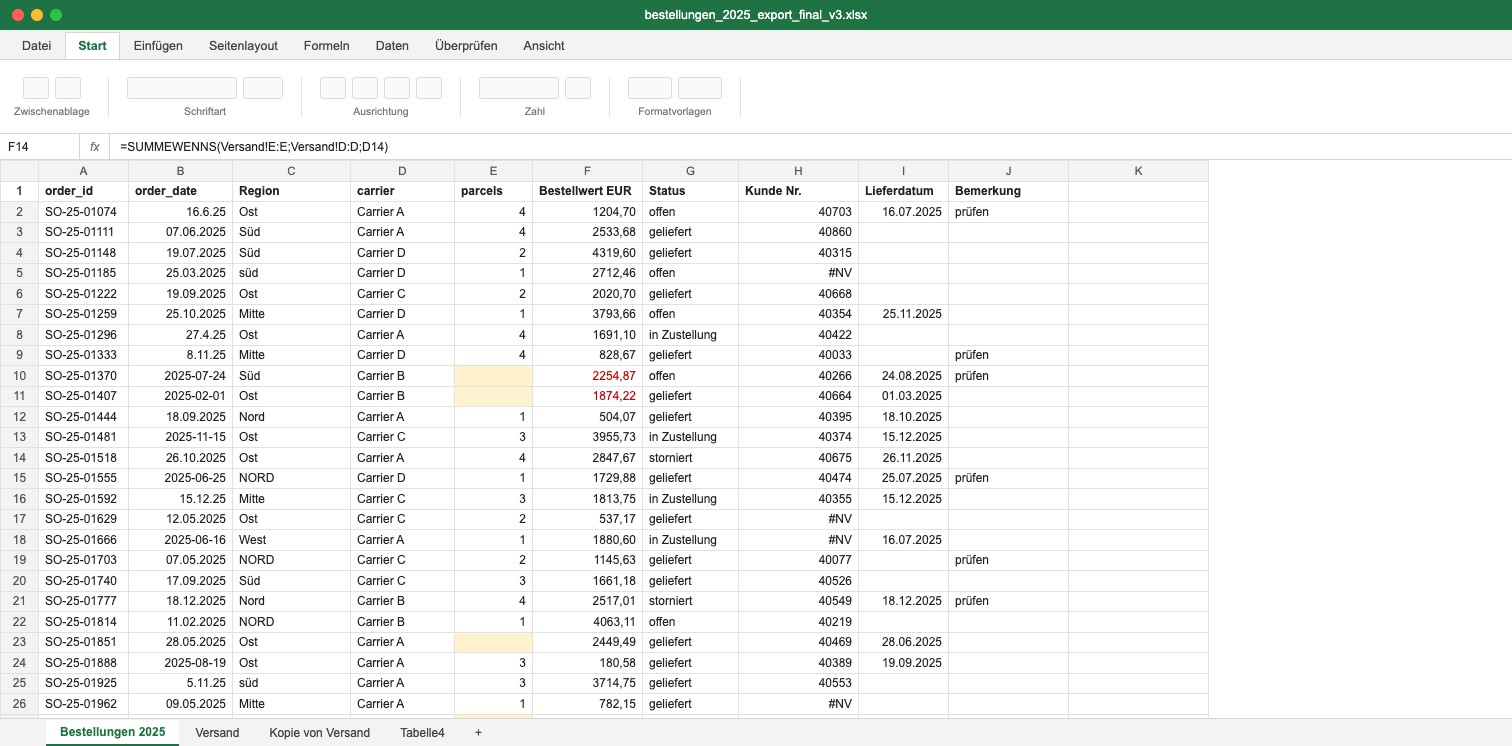
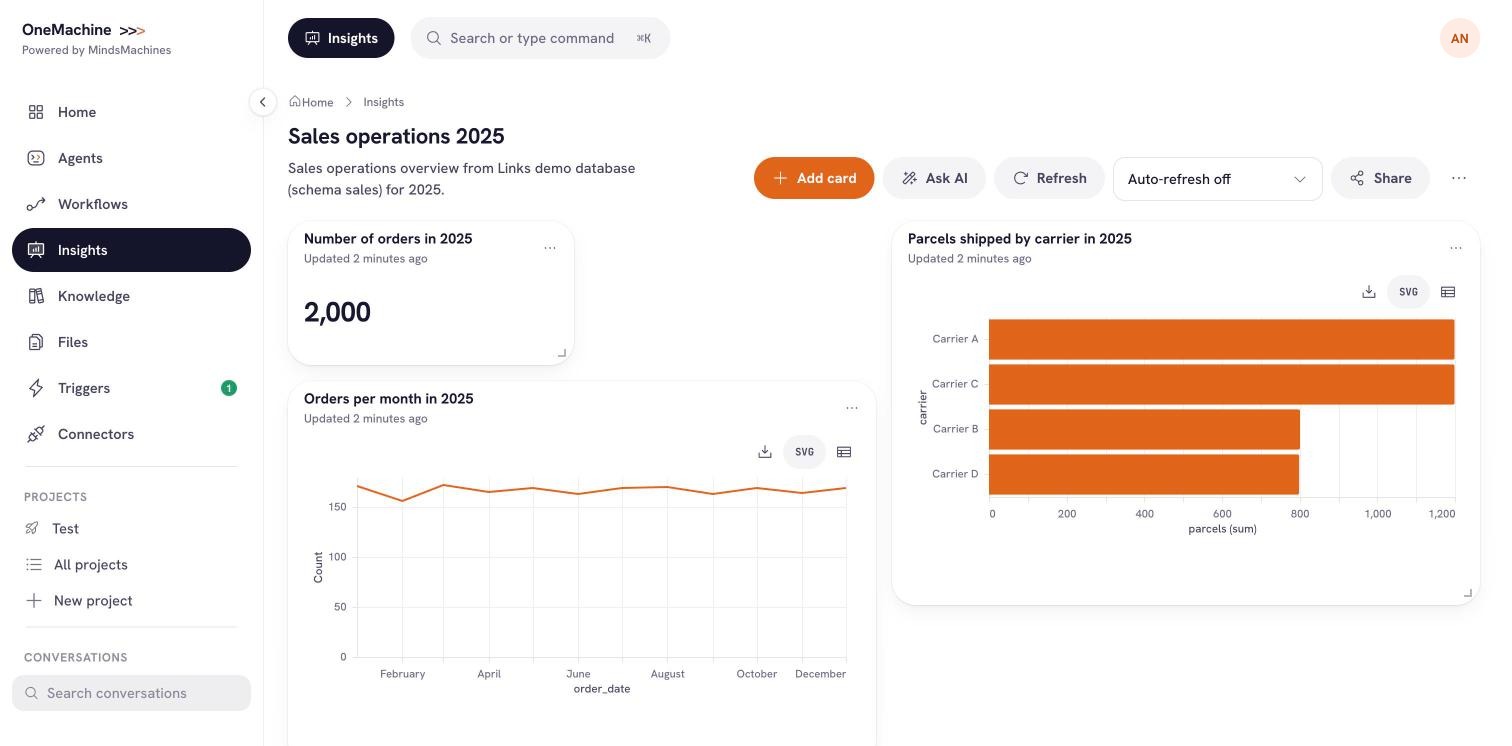
OneMachine, new platform, sample data. Drag the slider to compare.
Your files, just as they are today
Several related Excel files are analysed together, in natural language and without prior data modelling.
Verifiable code does the calculation
The AI recognises the structure of the data. The calculation itself is done by code that your specialists can check. That makes every number traceable.
Every answer names its source
You see which file and which place a value comes from. When the system reads a known file structure again, no new AI costs arise.
The platform in use
Three views from OneMachine, recorded with sample data.
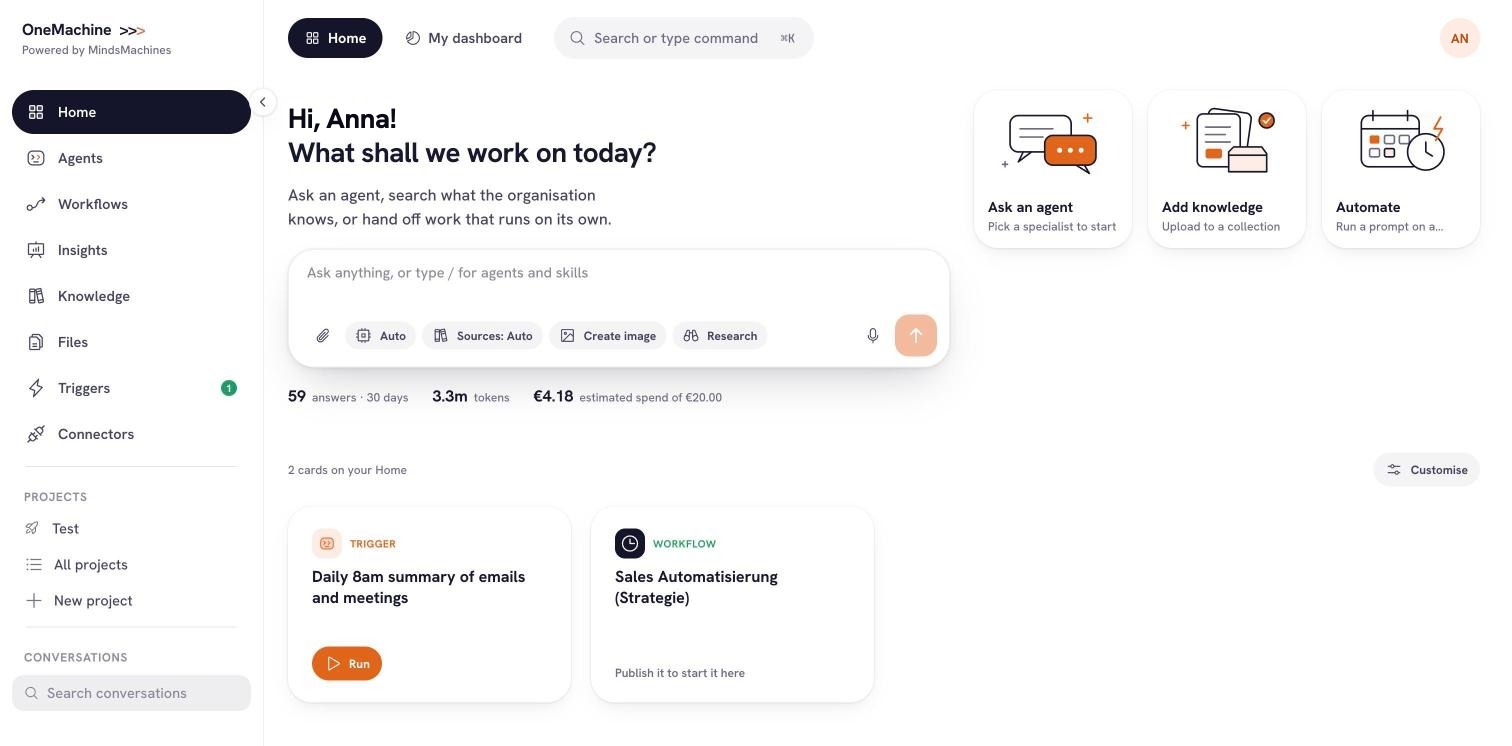
From the start page you ask an agent, search what your organisation knows or hand work over to a routine.
OneMachine, new platform, sample data.
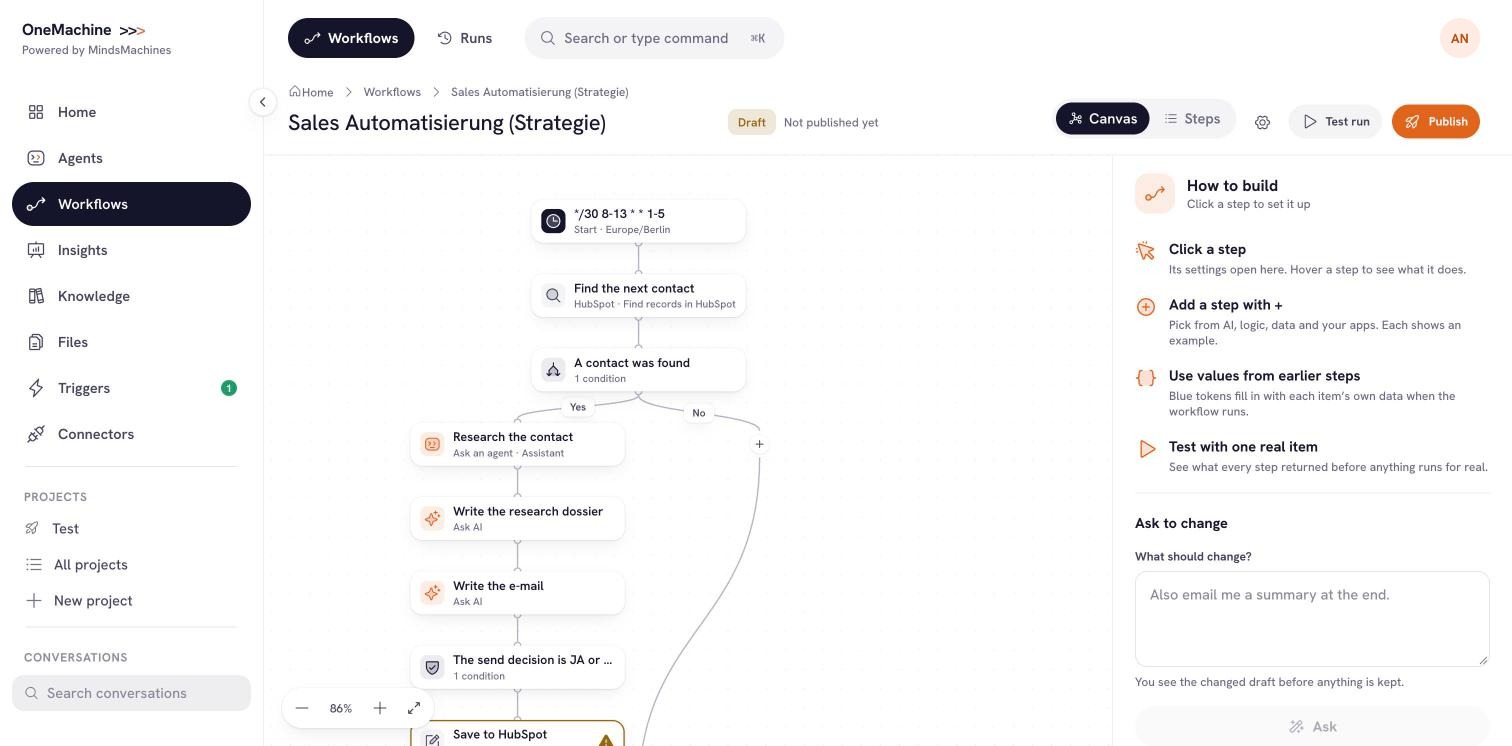
A workflow consists of visible steps. Before publishing, a test runs on a real example, and you describe changes in your own words.
OneMachine, new platform, sample data.
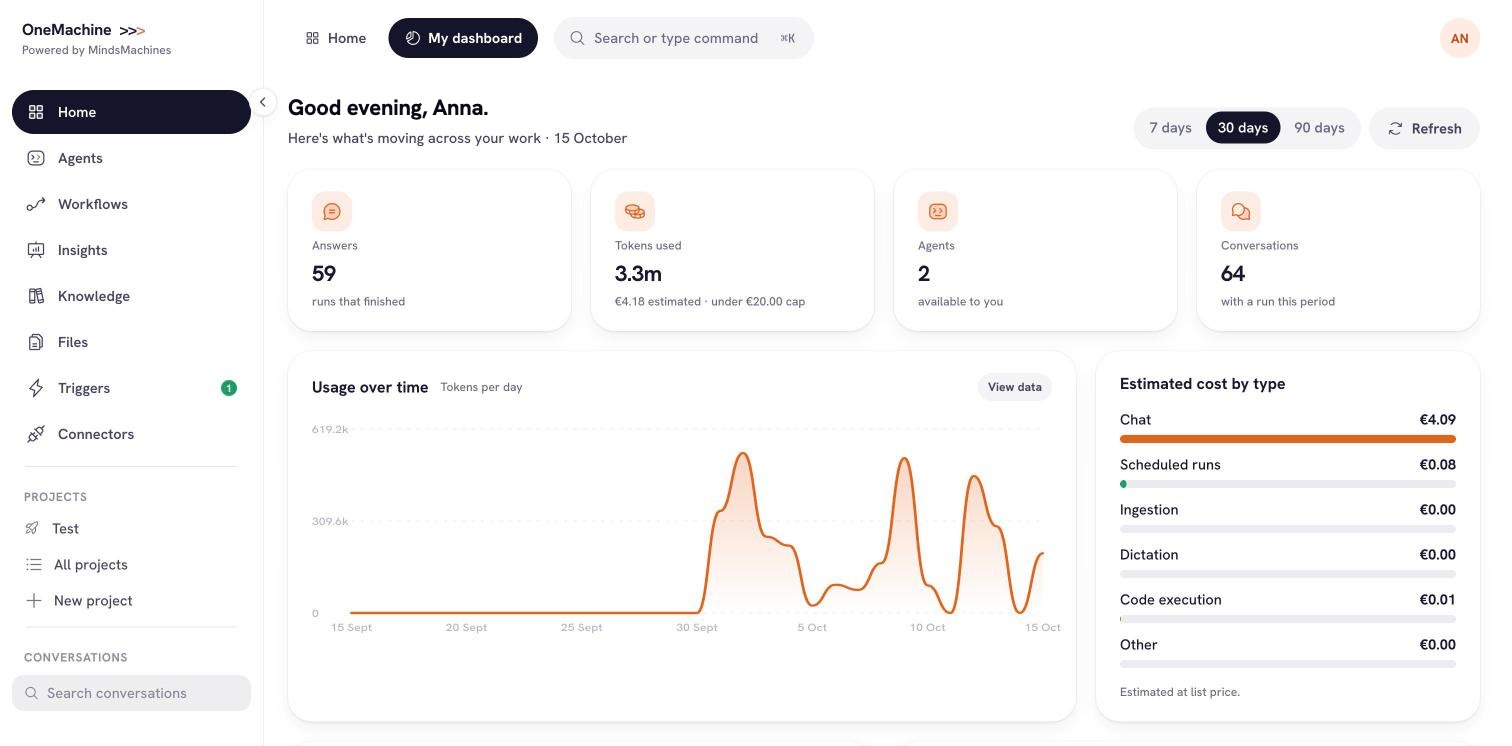
The overview shows answers, usage and estimated costs by type, measured against the cap you have set.
OneMachine, new platform, sample data.
Models, roles and approvals in your hands
You decide which AI works on which process. Every change is logged.
Model choice
Roles and approvals
Inventory and risk class
Visible to administrators
Isolated execution
Clear responsibilities in operation
Data, models and logs stay in your environment. MindsMachines has no access to content.
Select a label to see the statement behind it.
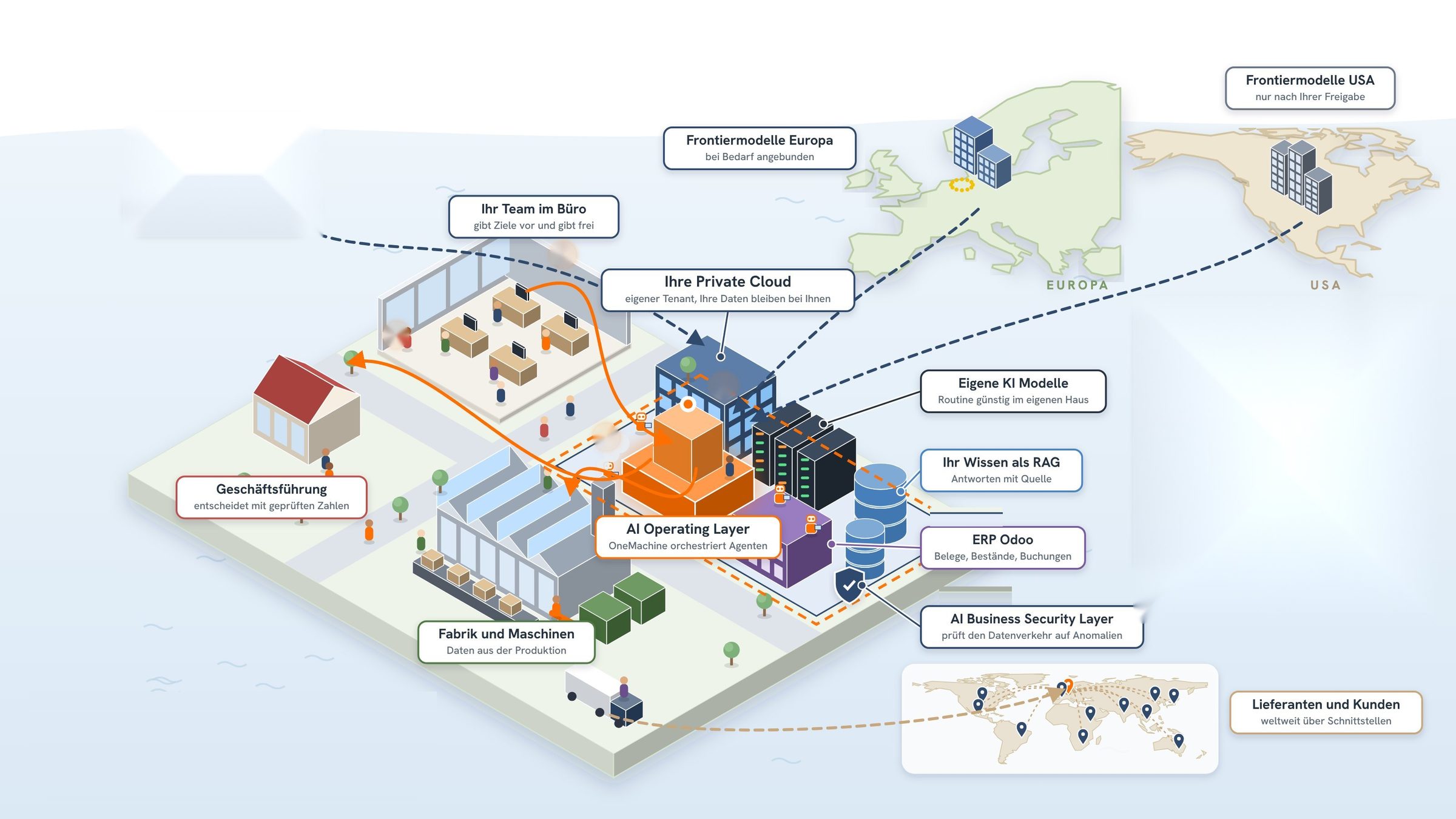
Runs in your infrastructure, billed directly by the cloud provider. Your data stays with you, also after the contract ends, with export in a structured format under the EU Data Act.
Schematic illustration, MindsMachines AI GmbH
| Task | On your side | On the MindsMachines side |
|---|---|---|
| Infrastructure and cloud costs | Runs in your infrastructure, billed directly by the cloud provider | Setup of the platform in your environment |
| Updates and security | Authentication, approvals and the key | Regular updates, monthly monitoring and prompt security patches, included in the licence |
| Adjustments | Approval of every adjustment | Small adjustments during operation after your approval, without a new quote, larger ones as a change request |
| Data | Stays with you, also after the contract ends, export in a structured format under the EU Data Act | Support with the transition |
| Platform and agents | Right of use for the term of the contract | The platform and developments that are not customer specific remain with MindsMachines |
The documented operating path is Microsoft Azure. Other environments are supported and portable, but not yet backed by a reference.
Connections to your systems
OneMachine connects your files and systems. New connections to external systems are handled as a change request.
- Microsoft 365
- SharePoint and OneDrive
- Teams
- Outlook
- HubSpot
- Jira
- Confluence
- Slack
- Google Drive
- Databases and SFTP
- Further systems via MCP
Frequent questions about OneMachine
What is OneMachine?
The platform on which MindsMachines builds tailored AI for your processes. OneMachine runs in your infrastructure, connects your files and systems and calculates with sources instead of estimating. Agents, workflows and analyses are built for your processes and adapted during operation.
Where is your data stored?
In your own environment. Data, models and logs stay there, and MindsMachines has no access to content. The documented operating path is Microsoft Azure, other environments are supported.
Which model works in OneMachine?
The model you choose for each use case. Your data is not used for training.
Who takes care of operation after the launch?
MindsMachines, as part of the licence. This includes regular updates, monthly monitoring of the platform and prompt security patches. You keep authentication, approvals and the key.
What happens when a process changes?
The solution is adapted. MindsMachines makes small adjustments after your approval without a new quote, larger ones are handled as a change request.
Who sees which agents and chats?
Administrators see agents and automations, individual user chats stay hidden from them. Every agent has a risk class and is listed in an inventory, and every change is logged.
Can existing systems be connected?
Yes. OneMachine connects files and systems such as Microsoft 365, SharePoint, Teams, Outlook, HubSpot, Jira, Confluence and databases, further systems via MCP. New connections to external systems are handled as a change request.
What stays with you when the contract ends?
Your data. It stays in your infrastructure and can be exported in a structured format under the EU Data Act. MindsMachines supports the transition, and training materials and prompt libraries remain available for internal use.
What does OneMachine cost?
Your cloud provider bills infrastructure and model costs directly to you. The scope for your use case is clarified in the Application Call.
Read on
Security
Where the data lives, who has access and how tasks are split in operation.
Use cases
Use cases by department, from sales to supply chain, with impact and first step.
References
The approved reference bluepartner and the process every project starts with.
A use case from your department on OneMachine
- Call
- Application Call, 30 minutes, online
- Result
- A concrete use case from your department, with scope and a success metric, for the start on OneMachine.
- Entry offer
- Start on OneMachine. Your cloud provider bills infrastructure and model costs directly to you.